Game guide · BJHRWTGDGC
A practical guide to Air Hockey
Try Air Hockey at your own pace and keep its objective in view. Score seven goals before the computer. Use the example below to understand a decision. Check the rule that explains your first action. Check the relevant rule before repeating a move.
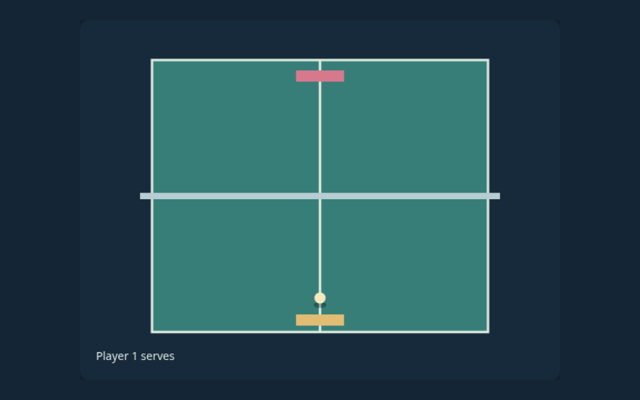
Move your paddle against a computer opponent and score through the opposite goal.
Practice beyond the first move
Locate the buttons and input area before beginning a long round. Use the on-screen labels to avoid an accidental restart. Notice the feedback after each input.
Aim for this result
Score seven goals before the computer. Use the instructions to see which actions move you towards it. Check the rules when you are unsure.
Start here and follow along
- Start.
- Move your mallet within the lower half.
- Strike toward the upper goal.
- Goals reset the puck.
Choosing and moving on screen
Mouse/touch movement or Left/Right controls. Read a button’s label before selecting it. Contact us with the game and device if a control does not respond.
See the idea in action
An angled hit can bank off a side wall. Focus on why the action is allowed, not only its outcome. Choose a deliberate next step.
A common point of confusion
You cannot move into the computer’s half. Read the feedback to see why an action did not have the expected result. Take enough time to read a new position. If a game has a timer, learn its controls first rather than searching for them during the round.
More answers before you play
For this browser game, what is the goal of Air Hockey?
Score seven goals before the computer.
While learning, how do I control Air Hockey?
The key detail is this: Mouse/touch movement or Left/Right controls.
While learning, what example helps explain Air Hockey?
For clarity: An angled hit can bank off a side wall.
When I return, what should I watch out for in Air Hockey?
The key detail is this: You cannot move into the computer’s half.
While learning, what format does Air Hockey offer?
Keep this in mind: Move your paddle against a computer opponent and score through the opposite goal.
As a new player, which play mode does Air Hockey use?
For clarity: The mode on this page is Solo vs computer. Same-device play uses one screen; this game library does not provide internet matchmaking.
When I return, where should I start with Air Hockey?
For clarity: Start.
When I return, do I need an account or a payment for Air Hockey?
No player account or payment is needed. Game scores are recreational results, not cash prizes.
As a new player, how can I find Air Hockey again?
Use the Games list or save this game page in your browser bookmarks. The Guide is linked from the playing page.
How do I report an issue with Air Hockey?
Use the contact form and include the game name, browser, device and the actions that led to the issue. Do not send passwords or payment details.